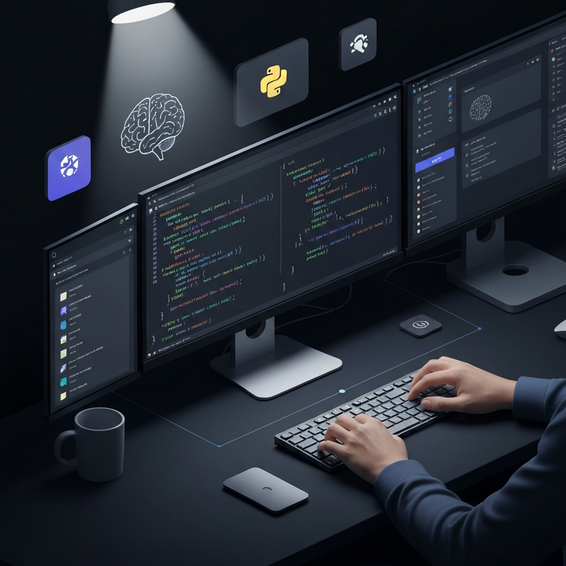
10 Essential AI Tools Every Developer Should Know in 2024
Software engineering is evolving at breakneck speed. Between the push for lightning-fast release cycles and the rise of incredibly complex architectures, relying purely on manual coding just doesn’t cut it anymore. Whether you spend your days debugging finicky microservices, writing endless boilerplate code, or wrestling with cloud infrastructure, developer burnout is a genuine threat staring you in the face.
Integrating artificial intelligence into your daily workflow isn’t just a fun experiment anymore—it’s practically required if you want to stay competitive and maintain your sanity. However, with a constant flood of new applications hitting the market daily, separating real value from empty hype can feel overwhelming. In this comprehensive guide, we’ll dive into the core ai tools every developer should know to supercharge productivity, ditch repetitive chores, and consistently write cleaner, more secure code.
Why Developers Face Productivity Bottlenecks
Before we jump straight into the top ai tools every developer should know, it helps to step back and look at why software engineers face such massive drops in productivity to begin with. More often than not, the culprit is a mountain of repetitive, mind-numbing tasks that eat up hours of the day without requiring any real creative problem-solving.
Context switching is arguably the biggest productivity killer in modern tech. Bouncing from writing logic in your IDE to tweaking cloud infrastructure, hunting through Stack Overflow for that one obscure error message, and deciphering horribly outdated documentation shatters your momentum. Once that precious flow state is gone, it can easily take twenty minutes or more just to get back on track.
Beyond context switching, you have the endless grind of tracking down elusive bugs, wrestling with legacy technical debt, and writing exhaustive unit tests. Those are hours that would be much better spent focusing on core architectural design. After all, companies hire developers to solve complex, high-level business problems, not to mindlessly punch out thousands of lines of boilerplate routing logic.
This is exactly where AI-driven developer tools step in to bridge the gap. By handing off routine syntax generation, tedious log analysis, and basic code scaffolding to machine learning algorithms, engineers are suddenly freed up. They can finally focus their energy where it matters most: business logic, system scalability, and true creative problem-solving.
Quick AI Integrations to Enhance Workflow
If you are just starting to dip your toes into the world of AI-assisted software development, it’s best to begin with basic, highly effective solutions. These actionable, low-friction steps will give you an immediate and noticeable boost in your daily output—all without forcing you to overhaul your existing tech stack completely.
- Adopt an AI Coding Assistant: If you want to see an immediate return on your investment, hook up a tool like GitHub Copilot, Tabnine, or Codeium directly into your IDE. These smart assistants act like a pair programmer, suggesting entire lines, functions, or even full blocks of code based entirely on your inline comments and surrounding context.
- Leverage Conversational AI for Logic: It’s a great habit to keep a Large Language Model (LLM) like Claude or ChatGPT open in a secondary browser tab. You can use it as a sounding board to brainstorm system architecture, untangle a massive block of terrifying regex, or smoothly translate legacy code into a modern programming language.
- Automate Your Terminal Experience: Let’s face it: the command line can be unforgiving and incredibly prone to typos. By switching to an AI-enhanced CLI terminal like Warp or Fig, you can easily get auto-suggested commands, have complex shell scripts explained to you in plain English, and fix syntax errors on the fly.
- Implement Smart Search: Ditch the traditional search engine hunt. Instead, switch to developer-centric platforms like Phind or Perplexity. These tools crawl the web, aggregate the latest documentation, and hand you synthesized, code-ready answers rather than just tossing you a wall of blue links to click through.
By putting these foundational habits into practice, you’ll dramatically cut down the time you spend mindlessly searching for answers. And if you’re looking for even more ways to streamline your routine outside the realm of writing code, be sure to check out our comprehensive guide on how to automate daily tasks using AI.
Advanced Solutions: Next-Level AI Tools
Once you feel entirely comfortable with basic coding assistants, you should start exploring more advanced AI dev tools. These robust applications weave deeply into your DevOps pipeline, IT infrastructure, and deployment processes, practically acting as autonomous members of your engineering team.
Automated Code Reviews and CI/CD Testing
There is no denying that human code reviews are essential, but they can also create a serious bottleneck in the deployment process. That’s where tools like CodeRabbit and CodiumAI come into play, running automated AI reviews on your pull requests right inside GitHub or GitLab. They meticulously analyze your logic, flag potential security vulnerabilities, recommend performance tweaks, and can even generate comprehensive unit tests before a single line hits production. Ultimately, this keeps your CI/CD pipeline both robust and highly agile.
AI-Assisted Development Environments
If you want a glimpse into the future, look at Cursor. It is an AI-first IDE built seamlessly on top of VS Code, but it goes miles beyond simple autocompletion. It actually allows developers to interact and “chat” with their entire codebase. Imagine needing to refactor a massive, tangled monolithic application—the IDE actively understands the context across dozens of files simultaneously. You can simply ask it to update an API endpoint, and it will thoughtfully cascade those changes down through your controllers and frontend fetch requests automatically.
AI for Database and CMS Operations
Manually writing complex SQL joins or tweaking database schemas is rarely a developer’s favorite chore. Fortunately, AI database optimization tools can step in to analyze sluggish queries and map out significantly better indexing strategies. Similarly, these intelligent tools shine when you are dealing with content management systems. If you need to quickly expand a website’s core functionality, an AI assistant can act as a massive shortcut, especially when you need to build WordPress plugins from scratch.
Best Practices for Using AI in Software Development
While tapping into machine learning undeniably accelerates development speed, it absolutely has to be used responsibly. Relying too heavily on poorly implemented AI can easily inject subtle bugs, mount up technical debt, or introduce severe security flaws right into your codebase. To keep things clean and safe, adhering to a few strict best practices is non-negotiable.
- Never Trust Blindly: Make it a rule to review AI-generated code line-by-line. Language models are notorious for hallucinating, completely misunderstanding nuanced business rules, or enthusiastically suggesting deprecated libraries full of known vulnerabilities.
- Protect Sensitive Data: This is perhaps the biggest security rule of all. Under no circumstances should you ever paste API keys, database credentials, Personally Identifiable Information (PII), or highly proprietary company algorithms into a public-facing AI chatbot.
- Use AI for Scaffolding, Not Architecture: Let the machines handle the boring stuff like boilerplate, basic unit tests, and standard CRUD operations. However, actual human engineers—especially senior ones—need to be the ones dictating the high-level system design, overarching security protocols, and core infrastructure architecture.
- Master Prompt Engineering: The quality of the code you get out is always directly proportional to the context you put in. Learn to be highly specific with your prompts. Clearly outline your expected inputs, desired outputs, potential edge cases, and even your preferred design patterns to get the best results.
- Keep Dependencies Updated: Software moves fast. Always ensure that the AI tools you integrate are relying on the most up-to-date security definitions. This simple habit helps prevent nasty zero-day vulnerabilities from quietly sneaking into your applications.
Recommended Tools and Resources
Are you feeling ready to upgrade your tech stack? Here is a carefully curated list of some of the best top-tier AI applications specifically designed to enhance developer productivity. (Note: A few of the links below may be affiliate links, which help support the free content we create).
- GitHub Copilot: This has quickly become the industry standard for real-time code suggestions and robust autocomplete, fully backed by OpenAI’s incredibly powerful underlying models.
- Cursor IDE: An incredibly polished fork of VS Code that features native, deep integration with your entire codebase. It is an absolute lifesaver for tackling large-scale refactoring projects.
- Tabnine: For those worried about privacy, this highly secure coding assistant learns strictly from your private codebase, making it the perfect choice for rigid enterprise environments.
- CodeRabbit: An impressive AI-driven code review assistant. It hooks right into your repositories to meticulously catch bugs and logic errors well before they ever get merged.
- Codeium: If you are on a budget, this is a fantastic, free alternative to Copilot. It offers surprisingly powerful autocomplete and conversational chat features across more than 70 different programming languages.
Frequently Asked Questions (FAQ)
Will AI replace software developers?
In short: no. AI is not going to replace software developers anytime soon. Instead, think of it as a massive force multiplier. The reality is that developers who actively use AI will inevitably replace the developers who stubbornly refuse to adapt. While an algorithm can quickly spin up functions and scripts, it absolutely cannot replicate genuine human problem-solving, empathy for the end-user experience, or a deep understanding of complex system architecture.
What are the essential AI tools every developer should know?
If you are building a modern development stack today, your core setup should definitely include a solid code completion tool (like GitHub Copilot or Codeium), an AI-native IDE (like Cursor), a smarter CLI interface (like Warp), and an automated code reviewer to oversee your pull requests (like CodeRabbit). Together, this combination effortlessly covers your writing, terminal operations, and testing phases.
Are AI coding assistants secure for enterprise code?
That depends entirely on the specific tool you are using and exactly how it is configured. The enterprise tiers of platforms like GitHub Copilot and Tabnine usually come with strict legal guarantees ensuring your proprietary code is never used to train public models. However, you should always verify the privacy policy and have a chat with your security team before unleashing any AI on an enterprise-level codebase.
Can AI help me learn a new programming language?
Yes, absolutely! In fact, AI happens to be one of the greatest educational tools available for developers today. You can easily ask an LLM to explain a brand-new concept using a language you are already comfortable with (for example, prompting it with: “Explain Rust ownership concepts to a senior JavaScript developer”). It gives you instant, personalized feedback, seamless code translations, and highly targeted learning examples.
Conclusion
The future of software engineering undoubtedly belongs to the people who are willing to embrace automation and push for peak efficiency. By smoothly integrating these advanced applications into your everyday workflow, you can easily eliminate those dreadful repetitive tasks, drastically cut down on bugs, and pour all your energy into building truly innovative, scalable features.
Whether you are relying on simple real-time code completion or rolling out full-scale automated infrastructure testing, taking full advantage of the best ai tools every developer should know is hands-down the easiest way to future-proof your career in tech. Don’t let yourself get left in the dust. Start small by picking just one tool today, master what it can do, and gradually build your way up to a fully optimized, AI-driven development environment.
About the Author