7 Brilliant Homelab Ideas for Learning DevOps in 2024
Trying to break into the field of infrastructure engineering without tangible, hands-on experience can feel incredibly daunting. Sure, reading through dense documentation and binge-watching tutorials is a great starting point, but absolutely nothing compares to the gritty reality of breaking and fixing your own servers. Let’s be honest: enterprise-grade infrastructure isn’t exactly a playground, and testing unproven theories on your employer’s production environment is a fast track to disaster.
This is exactly where crafting your own personal server environment comes to the rescue. Diving into the best homelab ideas for learning devops is easily the most effective way to build genuine, real-world engineering skills. Having a homelab provides you with a completely safe, isolated sandbox where you can confidently test deployments, untangle complex networks, and automate workflows to your heart’s content.
What are the best homelab ideas for learning DevOps? The most impactful projects for truly mastering DevOps include standing up a local Docker environment, configuring a local DNS resolver like Pi-hole, crafting a self-hosted CI/CD pipeline, deploying a multi-node Kubernetes cluster, and utilizing Terraform for Infrastructure as Code (IaC).
Why You Need a Homelab for DevOps
A lot of beginners naturally ask why they shouldn’t just rely on massive cloud providers like AWS, Google Cloud, or Azure for their learning journey. While cloud computing skills are undeniably essential, those platforms intentionally abstract away the underlying hardware and complex networking layers. In the early stages of your career, that abstraction can actually cripple your fundamental understanding of how computer systems talk to one another.
It helps to remember that DevOps is much more than a collection of trendy tools; it is an entire culture built around automation, tight integration, and continuous delivery. When you lean entirely on managed cloud services, you rob yourself of the opportunity to learn how to manually configure Linux networking, manage bare-metal storage pools, and troubleshoot stubborn DNS routing issues.
Putting together a local homelab forces you to get your hands dirty with these technical challenges head-on. You will run into very real resource constraints, battle tricky networking bottlenecks, and figure out how to debug frustrating errors exactly like a senior site reliability engineer (SRE) would. As a massive bonus, running your infrastructure locally completely eliminates the nightmare of waking up to unexpected cloud billing surprises.
Quick Fixes / Basic Homelab Solutions
If you are fresh to the scene, please don’t feel pressured to buy thousands of dollars worth of enterprise hardware. You can easily start your journey with a single Raspberry Pi, a dusty old desktop PC from the closet, or a compact mini Intel NUC. Here is a straightforward, actionable roadmap to get your lab off the ground without the headache:
- Install a local hypervisor or a base Linux server OS onto your chosen hardware.
- Set up Docker and try containerizing a very simple web application.
- Configure a local DNS resolver so you can map out custom domain names.
- Build a basic code pipeline to automatically handle your app deployments.
1. Set Up a Local Docker & Portainer Environment
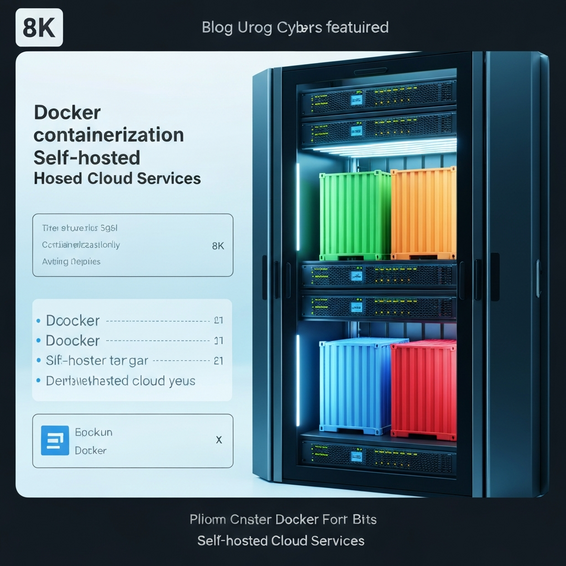
Containerization is the undisputed bedrock of modern DevOps workflows. Because of this, your very first project should involve installing a standard Linux distribution—like Ubuntu Server—and getting the Docker engine up and running. Once that’s ready, spend some time learning how to craft docker-compose.yml files to define and deploy your applications.
To keep things organized, go ahead and deploy Portainer. It serves as a fantastic, lightweight management UI that visually simplifies your various Docker environments. Tackling this project will give you a rock-solid understanding of container lifecycles, volume mapping, and network port forwarding.
2. Implement Pi-hole and Local DNS
Networking tends to be a major weak spot for many junior DevOps engineers. By setting up Pi-hole, you aren’t just gaining a network-wide ad blocker for your home; you are actually deploying a fully functional local DNS server. It is a brilliant way to see exactly how DNS resolution operates behind the scenes.
Nobody likes memorizing clunky IP addresses and port numbers just to access their homelab apps. With local DNS, you can configure clean, custom domains like app.homelab.local. This simple change introduces you to the core concepts of DNS records and internal network routing.
3. Build a Self-Hosted CI/CD Pipeline
The practices of Continuous Integration and Continuous Deployment (CI/CD) are non-negotiable in today’s tech landscape. To master this, try setting up a local Git server using a tool like Gitea or GitLab. From there, spin up a Jenkins instance or configure a local runner for GitHub Actions.
Next, create a basic web app and write a pipeline that catches your code whenever you push to the main branch, builds a fresh Docker image, and automatically deploys it. If you’re eager to push your automation skills even further, I highly recommend checking out our comprehensive guide on how to automate daily tasks using AI. Blending a bit of artificial intelligence with standard scripting can take a massive chunk out of your daily busywork.
Advanced Solutions: Enterprise-Grade Projects
Once you feel confident with the basics, it is time to turn up the heat. These advanced homelab ideas for learning DevOps are designed to closely simulate real enterprise environments, requiring a much deeper, more strategic IT perspective to troubleshoot properly.
4. Deploy a Multi-Node Kubernetes (K3s) Cluster
Kubernetes (K8s) reigns supreme as the industry standard for container orchestration. Setting it up on a single node is a fun exercise, but managing a multi-node cluster is where the serious learning takes place. Try utilizing a lightweight distribution like K3s, spreading it across three distinct virtual machines or Raspberry Pis.
This project will teach you the nuances of control planes, worker nodes, ingress controllers, and persistent volume claims (PVCs). For a real challenge, deploy a high-availability application and then deliberately pull the plug on one of the nodes just to watch how Kubernetes detects the failure and self-heals in real time.
5. Infrastructure as Code (IaC) with Proxmox and Terraform
Eventually, clicking through web interfaces to spin up virtual machines becomes a habit you need to break—it simply doesn’t scale. Instead, install Proxmox VE to serve as your bare-metal hypervisor. After that, bring Terraform into the mix to programmatically define, provision, and destroy your virtual machines purely via code.
Take it a step further by weaving in Ansible to handle the configuration management side of things. You can script out playbooks that automatically pull in necessary packages, configure rigid firewalls, lock down SSH access, and establish user accounts on your new VMs without you ever touching a keyboard during the process. This methodology guarantees that your environments are 100% reproducible.
6. The Observability Stack (Prometheus & Grafana)
A top-tier DevOps engineer never guesses; they know exactly what is happening inside their infrastructure at all times. Rolling out a proper observability stack is absolutely crucial if you want to monitor server health, track network throughput, and keep an eye on application performance metrics.
Start by setting up Prometheus to actively scrape data from your various servers and containers. Once you have the data, feed it into Grafana to build beautiful, highly customized visual dashboards. You can even configure Alertmanager to ping your phone via Slack or Discord the second a critical service drops offline.
7. Automated Reverse Proxy and SSL Provisioning
If you plan on exposing any part of your homelab to the outside world, doing it safely requires a robust reverse proxy. Deploying Traefik or Nginx Proxy Manager allows you to smartly route incoming web traffic to the correct internal containers. This setup mimics the exact standard practices used in modern web hosting and microservice architectures.
To polish things off, integrate your proxy with Let’s Encrypt so it can automatically fetch and renew your SSL certificates. Manually updating expired certs is incredibly tedious, making automation here a massive quality-of-life upgrade. By the way, if you happen to be hosting your own custom website or blog on this setup, you should definitely check out our step-by-step tutorial on how to build WordPress plugins from scratch. It’s a fantastic way to further test your development skills right in your own lab.
Best Practices for Your DevOps Homelab
Tinkering in a homelab is incredibly fun, but keeping it running smoothly requires a bit of professional discipline. Adopting real enterprise best practices at home will not only make your resume shine to prospective employers, but it will also save you from devastating, tear-inducing data loss.
- Embrace GitOps: Make it a strict rule to never make manual, on-the-fly changes to your infrastructure via SSH if you can automate it instead. Keep all your configurations, Docker Compose files, and Terraform state scripts cleanly organized in a central Git repository.
- Prioritize Security: Never open ports to the wild public internet unless it is absolutely necessary. Instead, lean on secure mesh VPNs like Tailscale or WireGuard to dial into your lab remotely. You should also practice network segmentation by using VLANs to keep different services isolated.
- Optimize Resources: Homelab hardware isn’t infinite. To squeeze out the most performance, use ultra-lightweight Linux distributions like Alpine Linux for your containers, and stick to Ubuntu Server or Debian for your VMs to minimize RAM and CPU waste.
- Document Everything: Treat your tiny home network like a Fortune 500 IT department. Write meticulous README files, sketch out network topology diagrams, and keep a strict record of your IP schemas. Incredible documentation is a highly sought-after skill in the engineering world.
Recommended Tools and Resources
To pull these projects off successfully, you will need to strike the perfect balance of hardware and software. Here are some of the best recommendations for assembling a highly capable DevOps homelab without draining your bank account.
Hardware Recommendations
Don’t fall into the trap of thinking you need to buy loud, power-hungry rack-mounted servers from day one. In reality, refurbished corporate mini PCs offer the absolute best bang for your buck. Keep an eye out for a used Dell OptiPlex Micro, Lenovo ThinkCentre, or an HP EliteDesk on sites like Amazon or eBay. They draw very little power and are whisper-quiet.
Alternatively, the Raspberry Pi 5 is a stellar choice for building low-power, multi-node Kubernetes clusters. Just keep in mind that because it runs on an ARM architecture, you might occasionally have to hunt down specific ARM-compatible versions of older Docker container images.
Essential Software Stack
- Hypervisor: Proxmox VE (It’s free, exceptionally robust, and the undisputed king of local virtualization).
- Configuration Management: Ansible (It’s agentless, powered by Python, and surprisingly easy to pick up).
- Container Orchestration: K3s (A brilliantly lightweight version of Kubernetes made for edge computing) or Docker Swarm.
- Version Control: Gitea or a self-hosted community edition of GitLab.
FAQ Section
How much RAM do I need for a DevOps homelab?
If your goal is just to run a handful of basic Docker containers and some lightweight web apps, a machine with 8GB to 16GB of RAM will do perfectly fine. However, if your ambitions include running Proxmox, juggling several virtual machines, and powering a multi-node Kubernetes cluster, you should really aim for a baseline of 32GB of RAM to keep everything running smoothly without swapping.
Is a Raspberry Pi enough for learning DevOps?
Yes, absolutely! A Raspberry Pi is a fantastic entry point into the world of infrastructure. It is more than capable of running lightweight containers, helping you learn Linux command-line fundamentals, and hosting a basic CI/CD pipeline. The only catch is its ARM processor, which means a few older, x86-specific Docker images might require some creative workarounds to function properly.
Do I need to learn networking for DevOps?
Without a doubt. Networking forms the invisible backbone of all infrastructure engineering. Having a firm grasp on DNS, load balancing, reverse proxies, and subnets is completely non-negotiable if you want to deploy highly available applications. Your homelab provides the ultimate sandbox to wrestle with these concepts safely, ensuring you don’t accidentally bring down your company’s production environment while learning.
Conclusion
Making the leap into a cloud infrastructure or site reliability engineering role demands far more than just surface-level theoretical knowledge. By actively diving into these homelab ideas for learning devops, you effectively bridge the daunting gap between reading abstract documentation and physically building functional, reliable, and highly secure infrastructure.
Remember to pace yourself: start small by setting up a local Docker environment, build a rock-solid foundation in Linux networking, and then slowly step up to more intricate tools like Terraform and Kubernetes. If you treat your homelab with the same respect as a live production environment—adhering strictly to GitOps and relentless automation—you will grow exponentially.
Are you ready to dive in? Go dust off an old PC, flash a bare-metal hypervisor onto a USB drive, and start constructing your very first automated deployment pipeline today. When it comes to mastering DevOps, the absolute best way to learn is simply to roll up your sleeves and start building!
About the Author