Ultimate n8n Automation Tutorial for Beginners (2024 Guide)
Introduction
If you have ever lost precious hours to repetitive chores like manual data entry, processing endless emails, or jumping between disconnected apps, you certainly aren’t alone. For developers, IT professionals, and digital entrepreneurs, these tedious manual processes can act as a massive roadblock to daily productivity.
While a lot of businesses turn to expensive cloud-based platforms to keep their tools synced, those monthly subscription costs have a habit of skyrocketing as your workflows get more complex. Thankfully, there is a highly capable and cost-effective alternative out there. In this comprehensive n8n automation tutorial for beginners, we are going to explore how you can reclaim your time and seamlessly streamline your digital operations.
By the time you finish reading this guide, you will know exactly how to link up your favorite applications, create custom conditional logic, and deploy an open-source automation framework that scales naturally right alongside your business.
Why Manual Workflows Become a Problem
Today’s modern businesses lean heavily on a diverse ecosystem of SaaS applications. Whether it is your CRM, email marketing platform, relational database, or project management software, each tool generates incredibly valuable data. The catch, however, is that these platforms rarely speak the same language right out of the box.
This frustrating technical disconnect often results in what is known as “SaaS sprawl.” Without a centralized approach to workflow automation, your data ends up trapped in isolated silos. Developers frequently try to patch these gaps by writing custom Python scripts or setting up Bash cron jobs. While these might work temporarily, maintaining such brittle, undocumented integrations usually turns into a full-time job of its own.
Turning to commercial integration services might solve the maintenance headache, but it introduces a totally different issue: wildly unpredictable costs. As the volume of your task executions grows, you often get hit with steep monthly penalty fees. If you have been exploring how to automate daily tasks using AI, combining those strategies with a self-hosted n8n instance is a complete game-changer when it comes to slashing overhead and boosting efficiency.
Quick Fixes: Getting Started with n8n Automation
If you are eager to jump right in, n8n provides a fantastic visual, node-based canvas that makes working with API integrations surprisingly intuitive. Below are the core steps to help you launch your very first workflow while getting a feel for how nodes and webhooks operate.
- Choose Your Hosting Method: For absolute beginners, creating an account on n8n Cloud offers the smoothest, zero-setup way to begin. If you prefer a hands-on approach, you can run the platform locally via Docker Desktop to test things out completely free of charge.
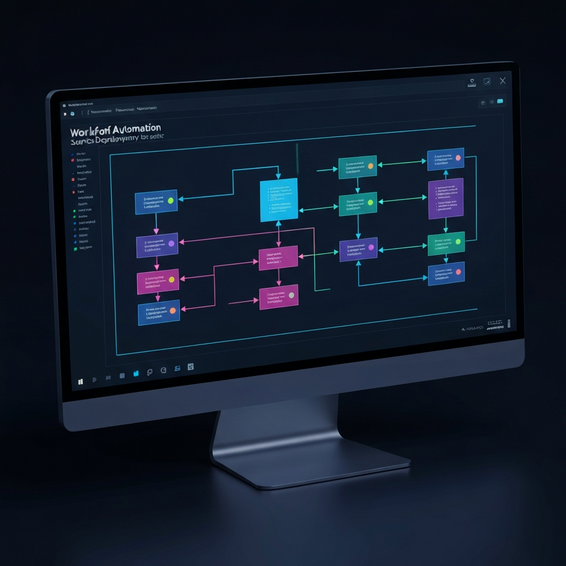
- Understand the Canvas: When you open n8n, you are greeted with a blank digital canvas where you can drop specific modules known as “nodes.” Each node represents either a SaaS application or a helpful utility function. Connecting them is as simple as clicking and drawing a wire from one to the next.
- Set Up a Trigger: Every great automation requires a starting point. You might add a Webhook node that patiently listens for incoming HTTP requests, or perhaps a Schedule trigger (which acts a lot like a traditional cron job) to kick off tasks at predetermined times.
- Add an Action Node: Next, link your trigger to a specific action. A common example is connecting a Google Sheets node so that a new row of data is automatically appended whenever your Webhook receives an incoming payload.
- Activate the Workflow: Finally, flip the toggle switch in the top right corner from “Inactive” to “Active.” Just like that, your automation is live and actively processing your data!
This incredibly straightforward setup process is exactly why n8n has earned its reputation as the ultimate Zapier alternative. It delivers instant visual feedback while ensuring your valuable data is never held hostage by strict API rate limits or aggressive paywalls.
Advanced Solutions: Self-Hosting and Custom API Integrations
Once you get the hang of the basics, you will quickly discover that the true power of n8n lies in its immense, developer-friendly flexibility. Let’s dive into some of the more technical configurations and advanced fixes tailored for Dev and IT environments.
Deploying Self-Hosted n8n
For those who require absolute data privacy and unlimited task executions, taking the self-hosted route is highly recommended. You can easily deploy n8n on a Linux virtual private server (VPS) by utilizing Docker Compose. With a simple, well-structured docker-compose.yml file, you are able to spin up the n8n application alongside a sturdy PostgreSQL database and a Redis caching layer, preparing your environment to handle high-volume, large-scale automation.
Mastering the HTTP Request Node
It is important to note that not every SaaS application on the market has a pre-built n8n node available. That is exactly where the incredibly versatile HTTP Request node comes to the rescue. This tool allows you to execute custom GET, POST, PUT, and DELETE requests against virtually any REST or GraphQL API. You can easily pass along custom headers, safely manage OAuth2 authentication flows, and parse complex JSON responses without skipping a beat.
Data Transformation with the Code Node
APIs don’t always play nice; sometimes they return messy or deeply nested data structures. The Code Node provides the perfect solution, allowing you to write your own vanilla JavaScript to manipulate data arrays, filter out unneeded null values, or map specific JSON keys before sending the payload on to the next step. It serves as a brilliant bridge between the simplicity of a no-code interface and the boundless capabilities of full-code environments.
Integrating with Custom Code
If you happen to be a WordPress developer, n8n can hook directly into your custom website endpoints using the WP REST API. For those who already know how to build WordPress plugins from scratch, you can easily engineer custom webhooks in PHP. This allows you to trigger specific n8n workflows the moment a key event—like a new user registration or a custom post update—takes place on your website.
Best Practices for Reliable Automations
While piecing together automations is relatively straightforward, building ones that are both reliable and scalable requires a bit of structural discipline. Keep these optimization and security best practices in mind to ensure your self-hosted infrastructure runs without a hitch.
- Modularize Your Workflows: Avoid the temptation to build massive, sprawling canvases that become a nightmare to debug. Instead, utilize the “Execute Workflow” node to segment complex tasks into smaller, manageable, and reusable sub-workflows.
- Secure Your Credentials: You should never hardcode your API keys or passwords directly into an HTTP Request node. Make it a habit to use n8n’s built-in credential manager, which effectively encrypts your sensitive secrets within the backend database.
- Protect Your Webhooks: Always enforce authentication headers on your Webhook nodes. This simple step prevents unauthorized bots from randomly triggering your workflows and chewing through your valuable server resources.
- Prune Execution Logs: When operating a self-hosted instance, your database execution logs can quickly eat up your server’s available disk space. Configure the
EXECUTIONS_DATA_PRUNEenvironment variable within your Docker setup so that logs older than 14 days are automatically purged. - Implement Error Handling: Take advantage of the dedicated “Error Trigger” node to establish fallback workflows. This way, if a critical workflow fails, you can receive an immediate alert—whether that is a quick Slack message or an automated email notification.
Recommended Tools and Resources
To truly maximize the potential of your automation efforts, we strongly suggest pairing n8n with a few essential developer tools that will make your life significantly easier:
- Docker Desktop: This is arguably the simplest way to run containerized applications on your local machine. It is absolutely perfect for safely testing your n8n workflows before you push those configurations into a production environment.
- DigitalOcean / Hetzner: Both of these are fantastic, budget-friendly cloud hosting providers that offer reliable performance when deploying a Linux-based, self-hosted n8n server.
- Postman or Insomnia: These desktop applications are vital for developers. They allow you to test your API endpoints and thoroughly inspect JSON payloads before formally integrating them into your active n8n workflows.
- Git: Always maintain strict version control for your project. Git is indispensable for tracking changes to your complex custom scripts, backup files, and Docker deployment configurations.
Frequently Asked Questions (FAQ)
What is n8n and how does it work?
n8n is an open-source, fair-code licensed workflow automation platform. It empowers users to connect various databases, APIs, and SaaS applications via a highly intuitive visual interface. Behind the scenes, it functions by passing JSON data payloads sequentially from one node to another, executing tasks, transforming data, and handling logical routing along the journey.
Is n8n better than Zapier?
Many developers and IT professionals firmly believe n8n is superior simply because of its unmatched flexibility. By choosing to self-host the software, you bypass per-task execution fees entirely, making it dramatically cheaper as your company scales. Furthermore, n8n supports highly complex logical branching, multi-trigger workflows, and the ability to drop in custom JavaScript whenever needed.
Do I need to know how to code to use n8n?
Not at all. The drag-and-drop visual interface paired with hundreds of pre-built app nodes ensures that non-technical users can design fully functional workflows. With that said, having a foundational grasp of JSON, REST APIs, and basic JavaScript will definitely help you unlock the platform’s highest potential.
Can I self-host n8n for free?
Yes, you absolutely can! The community edition of n8n is completely free to self-host for internal use. Your only ongoing expense will be the underlying server infrastructure—such as a cloud VPS or your own Homelab setup—which usually sets you back just a few dollars a month.
Conclusion
In today’s fast-paced digital landscape, automating repetitive tasks has shifted from being a nice-to-have luxury to an absolute necessity for scaling operations and preserving your sanity. By adopting powerful open-source solutions, you have the ability to craft highly customized, budget-friendly integrations that weave your entire tech stack together effortlessly.
The best way to begin is by mapping out the single most annoying manual task in your daily routine. Spin up a local Docker container, attach your very first webhook trigger, and watch the automated magic unfold before your eyes. While there is a slight learning curve at the beginning, it is completely worth the hundreds of hours you are going to save in the long run.
We genuinely hope this n8n automation tutorial for beginners has equipped you with both the confidence and the technical insights needed to start engineering your own advanced workflows today. Say goodbye to manual data entry, optimize your cloud environment, and enjoy the journey into automation!
About the Author